
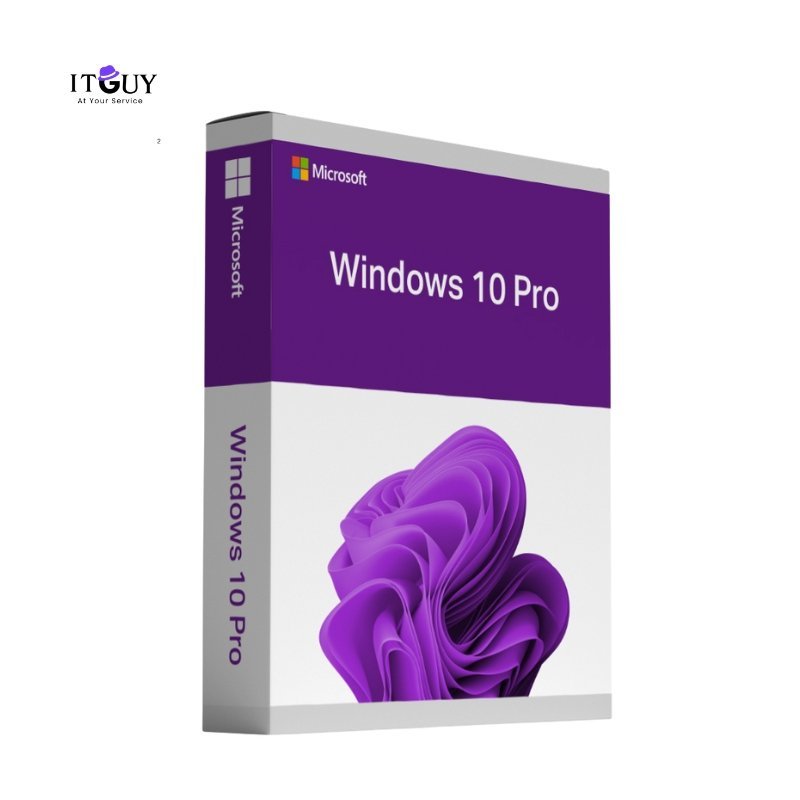
Upgrade your PC with a genuine Windows 10 Pro Product Key and unlock powerful performance, advanced security, and business-ready features that the Home edition simply cannot match. Windows 10 Pro includes BitLocker encryption, Remote Desktop, Hyper-V virtualization, and seamless integration with the productivity tools professionals depend on daily. Compatible with any system meeting the minimum requirements of a 1GHz processor, 2GB RAM, and 20GB storage.
Unlike OEM licenses that are permanently bound to a single device, this Windows 10 Pro Product Key is a retail license, giving you the flexibility to transfer your activation to a new machine whenever your hardware changes, making it a smarter long-term investment.
Benefits of Purchasing Windows 10 Pro Product Key (Retail)
A retail license is the most flexible and future-proof way to own Windows 10 Pro, combining genuine activation, full feature access, and cross-device transferability. Here is what you get:
- 100% genuine retail license with lifetime validity. This is a one-time purchase with no recurring subscription. Once activated, your Windows 10 Pro license remains valid for the life of the device or until you choose to transfer it.
- Full access to BitLocker, Hyper-V, and Remote Desktop. These professional-tier tools are exclusive to Windows 10 Pro. BitLocker protects your data with full-drive encryption, Hyper-V lets you run virtual machines without third-party software, and Remote Desktop gives you secure access to your PC from any location.
- Group Policy Management for precise system control. Configure user permissions, enforce security policies, and manage system settings at a granular level, making it an ideal choice for small-business workstations and power users alike.
- Instant digital delivery with no waiting time. Your activation key is delivered electronically immediately after purchase confirmation, so you can activate and get to work without delays.
- Enhanced security and threat protection are built in. Windows Defender, Secure Boot, and Windows Hello work with BitLocker to create a layered security environment that protects your data and identity against modern threats.
- Advanced productivity tools for multitasking and professional workflows. Virtual desktops, improved Task View, and enterprise management capabilities make Windows 10 Pro the dependable choice for users who need reliable performance under demanding workloads.
- Regular Microsoft updates and ongoing support. Stay protected and up to date with the latest security patches and feature improvements delivered directly through Windows Update at no additional cost.
Who This Is Ideal For
- Professionals and freelancers who need BitLocker encryption, Remote Desktop access, or Hyper-V virtualization as part of their daily workflow.
- Small business owners setting up or upgrading workstations who require genuine, fully licensed software with enterprise-grade management tools.
- Power users and builders who want a transferable retail license that they can move to a new machine without repurchasing Windows.
- Anyone upgrading from Windows 10 Home who wants to unlock the full Pro feature set through a straightforward retail activation.
Have Windows 11? Get the retail key here.
What You Will Receive
- Windows 10 Pro Product Key retail license delivered digitally after purchase confirmation.
- Access to official Microsoft installation media for a clean install or in-place upgrade.
- Step-by-step activation instructions for both new installations and existing Windows systems.
- Customer support for any activation or installation issues during the warranty period.
Important Notes
- This retail license supports activation on one device at a time and can be transferred to another device only after deactivation from the previous device.
- Major hardware changes, such as a motherboard replacement, may trigger a reactivation prompt that requires contacting Microsoft support.
- An internet connection is required for initial activation. All activation outcomes are subject to Microsoft’s current licensing policies.
- This is a digital product. No physical media, packaging, or printed materials will be provided.
Disclaimer
This is a digital retail license key. Activation, reactivation, and transfer eligibility are governed by Microsoft’s licensing terms at the time of use. IT Guy makes no guarantees regarding activation outcomes resulting from significant hardware modifications or changes to Microsoft’s activation policies.
Sehrish Khalid (store manager) –
I’m really impressed with the quality of the product. Customer support was also very responsive and helpful. Everything exceeded my expectations.
Muhammad Hassaan (verified owner) –
They delivered very fast.
So far best service