

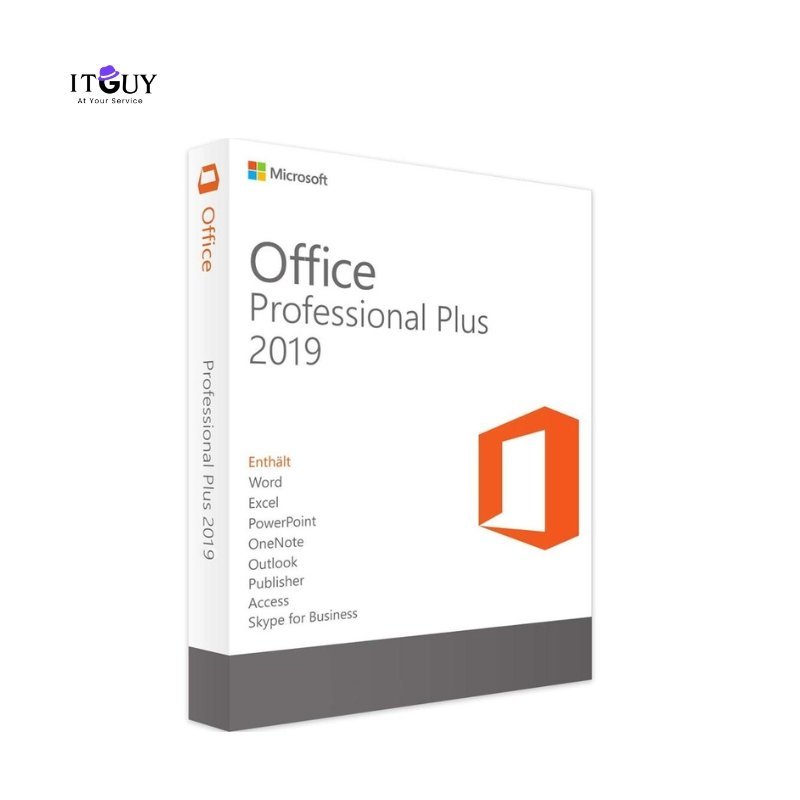
Boost your productivity with a genuine Microsoft Office 2019 Pro Plus product key. Office Pro Plus 2019 includes the classic applications professionals depend on, including Word, Excel, PowerPoint, Outlook, Access, and Publisher, with enhanced features and improved performance over the 2016 release. Compatible with Windows 10 or later, it requires a 1.6 GHz processor, 4 GB RAM, and 10 GB of free disk space.
Office Pro Plus 2019 is a fixed-release version, meaning you receive a stable, fully featured suite without the rolling updates and subscription requirements of Microsoft 365. It is a straightforward one-time purchase that gives you permanent, locally installed access to the complete Pro Plus application set.
Benefits of Purchasing a Product Key
Office Pro Plus 2019 delivers the complete professional Office suite under a permanent license, making it one of the most cost-effective long-term productivity investments available for Windows users.
- 100% genuine license for lifetime use. Your product key activates through official Microsoft channels, giving you a clean, legitimate installation with no risk of deactivation or compliance issues.
- One-time purchase with no subscription required. There are no recurring fees associated with this license. You pay once and retain full access to all included applications with no further billing.
- Full versions of Word, Excel, PowerPoint, Outlook, Access, and Publisher. The complete Pro Plus application set is included, covering document creation, data analysis, presentations, email management, database tools, and desktop publishing.
- Enhanced tools for business, academic, and personal productivity. Office 2019 introduced improved inking tools, new Excel functions, updated PowerPoint features, and better data visualization capabilities compared to the 2016 release.
- Offline installation with digital delivery. Your product key and download instructions are delivered digitally. Once installed, all applications function fully offline without requiring an active internet connection for daily use.
- Lifetime access to Microsoft security updates. Security patches are delivered through the standard Windows Update channel for the supported lifecycle of Office 2019, keeping your installation protected without additional action.
- Ideal for students, professionals, and businesses. Whether you are managing business finances, producing academic work, or running day-to-day office operations, Office Pro Plus 2019 covers every core productivity requirement.
Who Needs Microsoft Office 2019 Product Key (Pro Plus)?
- Windows users on older hardware who need a fully functional, permanently licensed Office suite that performs reliably without the system demands of newer releases.
- Small businesses and sole traders who want Access and Publisher included alongside the standard Office applications without paying a monthly subscription for features they may not need.
- Students and academics who need a complete and affordable Office installation for coursework, research, and dissertation work on a Windows PC.
- Organizations standardizing on a fixed Office version that want consistent application behavior across all workstations without rolling feature updates disrupting established workflows.
What You Will Receive
- Microsoft Office 2019 Pro Plus product key delivered digitally after purchase confirmation.
- Official download guidance to help you obtain the Office 2019 installer from Microsoft directly.
- Step-by-step activation instructions covering the complete installation and activation process.
Customer support available for any setup or activation issues encountered after purchase.
Sehrish Khalid (store manager) –
I had some concerns before ordering, but the support team addressed all my questions quickly. The order arrived in perfect condition, and the quality is exactly as described. I’ll be a returning customer.
Atif Hayat (verified owner) –
Good to work.
ASIF QADEER (verified owner) –
I have used office without any issue I am very satisfied
Jahanzeb Javed (verified owner) –
works well. genuine
Jahanzeb Javed (verified owner) –
works well. genuine