
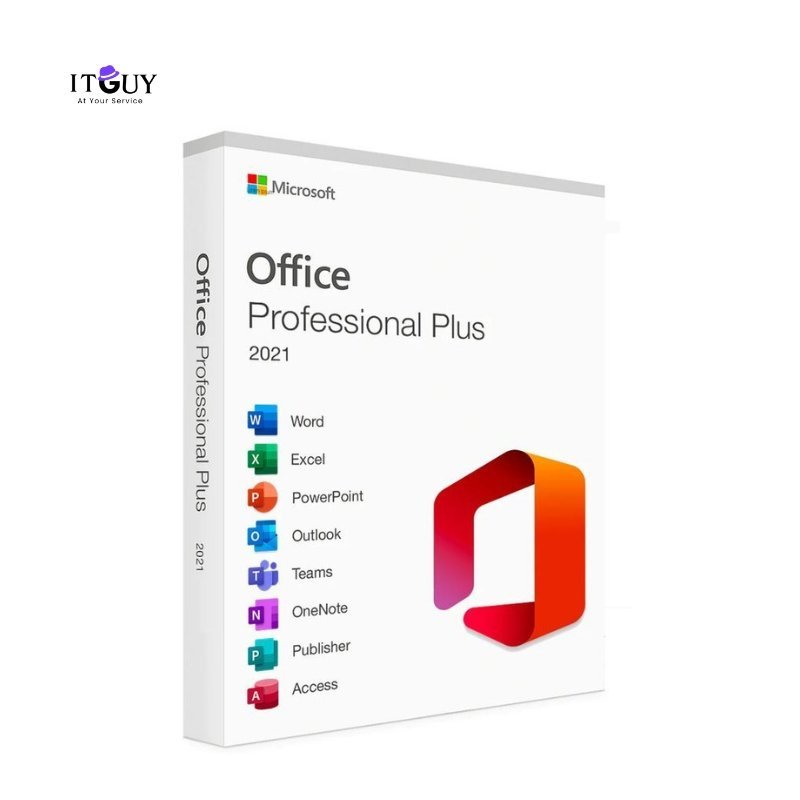

Unlock the latest productivity tools with a genuine Microsoft Office 2021 Pro Plus product key. Office Pro Plus 2021 brings modern versions of Word, Excel, PowerPoint, Outlook, Access, and Publisher, with improved performance, collaboration features, and processing speed compared to earlier releases. Compatible with Windows 10 and Windows 11, it requires a 1.6 GHz processor, 4 GB RAM, and 10 GB of storage.
Office Pro Plus 2021 is the most current fixed-release version of the traditional Office suite, incorporating features previously exclusive to Microsoft 365 subscribers into a permanent, one-time-purchase license. It is the strongest option available for users who want the latest stable Office release without committing to a recurring subscription.
Benefits of Purchasing a Product Key
Office Pro Plus 2021 delivers the most up-to-date fixed-release Office suite available, combining modern productivity features with the simplicity and cost certainty of a one-time permanent license.
- 100% genuine lifetime license with instant activation. Your key activates through official Microsoft channels immediately after purchase, giving you a fully legitimate installation from day one.
- One-time purchase with no recurring subscription fees. Pay once and retain permanent access to every included application without monthly billing, annual renewals, or features gated behind a subscription tier.
- Full suite including Word, Excel, PowerPoint, Outlook, Access, and Publisher. Every Pro Plus application is included, giving you complete coverage across document creation, data management, presentations, email, database tools, and desktop publishing.
- Enhanced collaboration and productivity tools for professionals and businesses. Office 2021 introduced co-authoring improvements, new Excel functions including XLOOKUP and dynamic arrays, updated PowerPoint transitions, and better performance across all applications compared to the 2019 release.
- Offline installation with digital delivery. All applications install and run locally on your Windows PC. Once activated, no internet connection is required for daily use across any of the included applications.
- Regular Microsoft security updates included. Security patches are delivered through the standard update channel throughout the supported lifecycle of Office 2021, keeping your installation protected without additional configuration.
- Suited for students, professionals, and enterprises. From academic assignments to enterprise reporting, Office Pro Plus 2021 delivers the feature depth and application breadth that demanding users and organizations require.
Who This Is Ideal For
- Professionals and business users on Windows 10 or Windows 11 who want the most current fixed-release Office suite with modern features and a permanent license that does not require a Microsoft 365 subscription.
- Power users who need Access and Publisher alongside the standard Office applications, as these are not available in Microsoft 365 Personal or Family plans, and require a Pro Plus license.
- Organizations upgrading from Office 2016 or 2019 who want the performance improvements, new functions, and collaboration enhancements introduced in the 2021 release without moving to a subscription model.
- Students and academics who need a complete, modern Office installation for Windows that covers every application required for study, research, and professional development.
What You Will Receive
- Microsoft Office 2021 Pro Plus product key delivered digitally after purchase confirmation.
- Official download guidance to obtain the Office 2021 installer directly from Microsoft.
- Step-by-step activation instructions covering the full installation and activation process from start to finish.
If you encounter any issues during installation or activation, customer support is available after you purchase from us.


Sehrish Khalid (store manager) –
From start to finish, the service was outstanding. The staff were friendly, the process was transparent, and the final product was top-notch. I’ve already recommended them to several friends.