
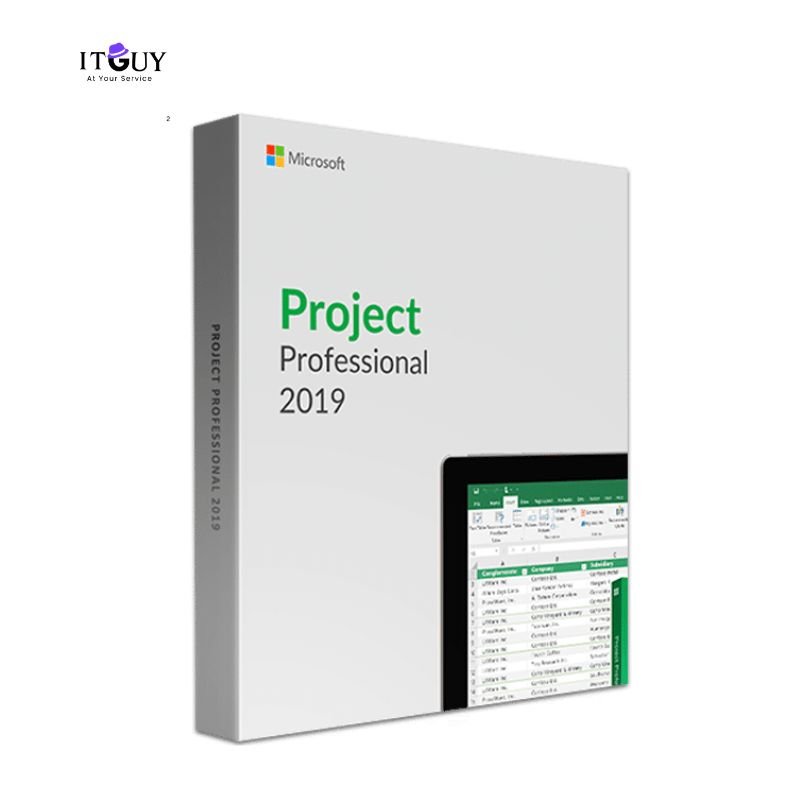

Microsoft Project Professional 2019 is a powerful project management solution designed for professionals, project managers, and organizations that need advanced planning, tracking, and reporting tools. It helps you manage projects efficiently with detailed schedules, resource allocation, cost control, and progress tracking.
This version is a one-time purchase with lifetime validity, making it ideal for users who want a stable project management tool without recurring subscription costs.
Key Benefits
Microsoft Project Professional 2019 brings together everything a project manager needs in a single, locally installed desktop application. No cloud dependency, no monthly billing, and no feature restrictions tied to a subscription tier.
• One-time purchase with lifetime activation
• Advanced project planning and scheduling tools
• Manage tasks, timelines, resources, and budgets
• Gantt charts for clear project visualization
• Track project progress and performance accurately
• Built-in reporting and customizable dashboards
• Seamless integration with Microsoft Office apps
• Suitable for individual professionals and businesses
Core Features
Built on a mature and stable release, Microsoft Project Professional 2019 delivers a proven feature set that project managers across industries have relied on for years.
- Create and manage detailed project plans
- Resource management and workload balancing
- Cost estimation and budget tracking
- Multiple timeline views and task dependencies
- Professional reports for stakeholders
- Works offline after activation
- The critical path method helps you identify which tasks carry the highest scheduling risk so you can act before deadlines are missed.
- Team workload views give you an at-a-glance picture of resource availability, helping you distribute work evenly across your team.
- Side-by-side timeline comparison lets you present multiple project phases or scenarios to stakeholders in a single view.
System Requirements
Before purchasing, verify that your computer meets the minimum specifications below. Installing on an underpowered machine may affect performance, particularly with larger project files.
• Windows 10 or Windows 11
• 1.6 GHz or faster processor
• 4 GB RAM recommended
• 4 GB available disk space
• Internet connection required for initial activation
Who This Is Ideal For
Microsoft Project Professional 2019 suits a wide range of users who value desktop stability and a permanent license over cloud-based subscription tools.
- Project coordinators and managers who work primarily on Windows and prefer a fully offline-capable tool for day-to-day project tracking.
- Small business owners who need structured scheduling and budget visibility without the overhead of enterprise project management platforms.
- Freelance consultants delivering projects for clients who require formal project documentation, Gantt charts, and stakeholder reports.
- Professionals studying for PMP, CAPM, or Prince2 certifications who need practical experience working inside a professional project management environment.
- Teams already working within the Microsoft Office ecosystem who want native file compatibility and familiar interface conventions.
If you require the latest version with the latest performance improvements and feature updates, consider our Microsoft Project Professional 2021 listing as a more recent alternative on the same platform.
What You Will Receive
Your purchase is processed and delivered digitally. There is no waiting period and no physical shipment involved for Microsoft Project Professional 2019 key.
- Microsoft Project Professional 2019 product key delivered after payment confirmation
- Official download source and installation guidance included
- Clear activation instructions written for non-technical users
- Support is available for any issues encountered during setup or activation
- Keep your product key stored safely after activation. Keys that are lost, shared with others, or used outside the intended license terms are not eligible for replacement.
Important Notes
Please review the following points carefully before completing your purchase to avoid any confusion after activation.
- This license covers only a single Windows PC. The key activates on the first device it is used on and cannot be reassigned or transferred to another computer under any circumstances.
- There are no recurring charges associated with this purchase. You pay once, and the software remains active on your registered device without any further billing.
- An internet connection is needed for the initial download and activation step. After that, the software operates fully offline with no internet dependency for day-to-day use.
- This is a standalone desktop application. It does not include access to Project Online, Project Server, or any Microsoft 365 cloud collaboration features.
- If you need to reinstall due to a system issue, contact us first. Reinstallation on the same device is generally possible but is not guaranteed following significant hardware changes or a device replacement.
- This license is issued for individual use on one device and is not suitable for shared, networked, or multi-seat deployments.
Reviews
There are no reviews yet.