

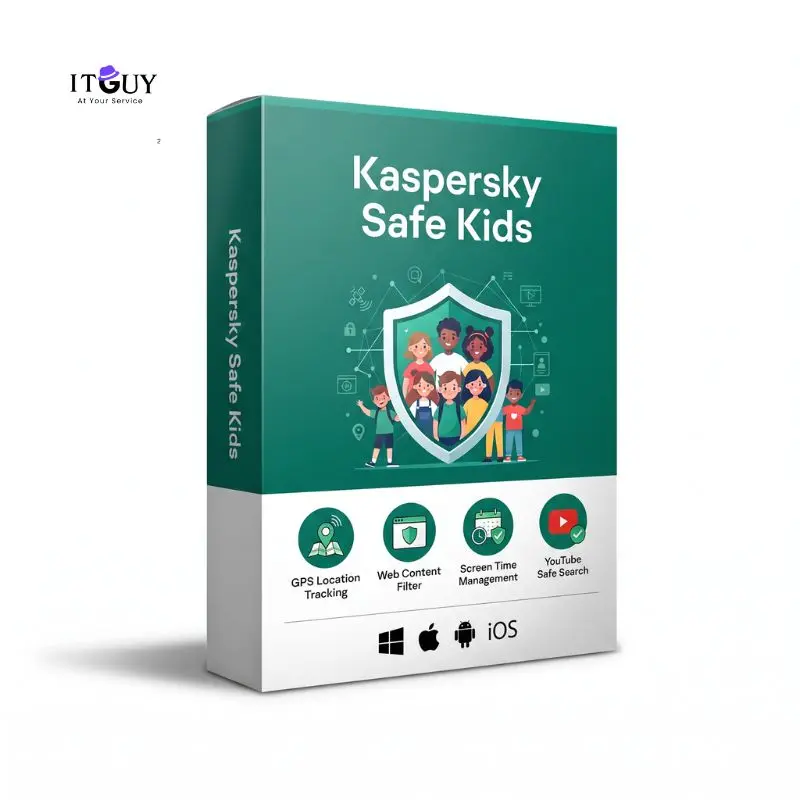
Kaspersky Safe Kids
Kaspersky Safe Kids provides advanced parental control software engineered to safeguard children in today’s connected digital world. As young users spend increasing amounts of time studying online, playing mobile games, and streaming video content, maintaining healthy screen habits and preventing exposure to inappropriate material becomes essential. This software works seamlessly across smartphones, tablets, and desktop computers, providing parents with flexible monitoring tools, real-time safety alerts, and comprehensive activity reports accessible from a single master management account.
Families seeking broader multi-device security alongside parental oversight can also evaluate full antivirus suites such as Kaspersky Premium – 1 Year or core workstation protection like Kaspersky Standard License Key. However, when the primary objective is dedicated child protection, screen time regulation, and location monitoring, choosing Kaspersky Safe Kids provides specialized controls optimized for managing young users across mobile and desktop environments.
Benefits of Purchasing Kaspersky Safe Kids
Managing your child’s digital presence requires proactive controls tailored to modern devices and online platforms. Here are the principal safety advantages included with your active subscription:
- GPS Location Tracking and Safe Area Alerts: Enables real-time location monitoring on a digital map and lets parents set designated safe zones, sending instant automated alerts if your child crosses predefined boundary areas.
- Web Content Filtering and Safe Search: Automatically blocks access to adult websites, gambling portals, and harmful content categories while enforcing Safe Search on Google, Bing, and YouTube search engines.
- Screen Time Management and Scheduling: Allows parents to set daily screen time limits, block device usage during study or bedtime hours, and implement flexible device schedules for each child.
- Application Management and Usage Limits: Restricts access to age-inappropriate mobile applications and games while letting parents set daily usage duration caps for specific software categories.
- YouTube Search History Monitoring: Tracks search queries conducted on YouTube to alert parents about sensitive or inappropriate video topics searched on Android and Windows devices.
- Battery Level Alerts: Continuously monitors the battery status of your child’s mobile device, notifying parents when battery levels run low to prevent unannounced device shut-offs.
Who This Is Ideal For
- Parents of School-Age Children and Teenagers: Guardians who want to establish healthy daily screen time habits and prevent excessive smartphone or tablet usage.
- Families Requiring Location Safety: Parents seeking real-time GPS coordinates and movement alerts to ensure their children arrive safely at school or home.
- Digital Safety Conscious Households: Families looking to filter explicit web content, block adult websites, and monitor YouTube video search activity on home computers.
- Multi-Device Household Environments: Parents who need a unified parental control system to manage Windows PCs, Mac laptops, Android phones, and iOS tablets from one parent account.
What You Will Receive
- Official Digital Activation Key: A genuine product license code delivered directly to your registered email address for instant account activation.
- Official Portal Download Link: Direct access instructions to log into the official My Kaspersky portal and download child apps for all supported operating systems.
- Step-by-Step Configuration Guide: Clear instructions detailing how to set up parent profiles, configure child devices, and establish safety rules.
- Customer Support and Warranty: Direct assistance during your active license warranty period to ensure seamless installation and rule configuration.
Important Notes
This product is an authentic digital license subscription delivered electronically; no physical DVD box or paper manual will be shipped to your physical address. License activation requires an active internet connection and a free My Kaspersky account. The subscription covers one parent account managing child profiles across supported personal devices. For users researching the Kaspersky Safe Kids price in Pakistan, our platform provides genuine digital software licenses with fast electronic delivery options. If you also need dedicated mobile protection for individual Android smartphones, you may inspect Kaspersky Internet Security for Android for dedicated mobile antivirus defenses.
System Requirements
- Windows Operating System: Windows 11, Windows 10, Windows 8.1, or Windows 8 (32-bit or 64-bit).
- macOS Operating System: macOS 11.0 or higher.
- Android Mobile Devices: Android 8.0 or higher.
- iOS Mobile Devices: iOS 15.0 or higher.
- Network Connectivity: Active internet connection required for initial configuration, rule sync, location tracking updates, and remote parent portal management.
Kaspersky Regional Feature Notice
Kaspersky Safe Kids features rely on cloud synchronization through My Kaspersky services. Safe search filtering and location reporting require active internet connectivity and permissions enabled on the target child device.



Reviews
There are no reviews yet.